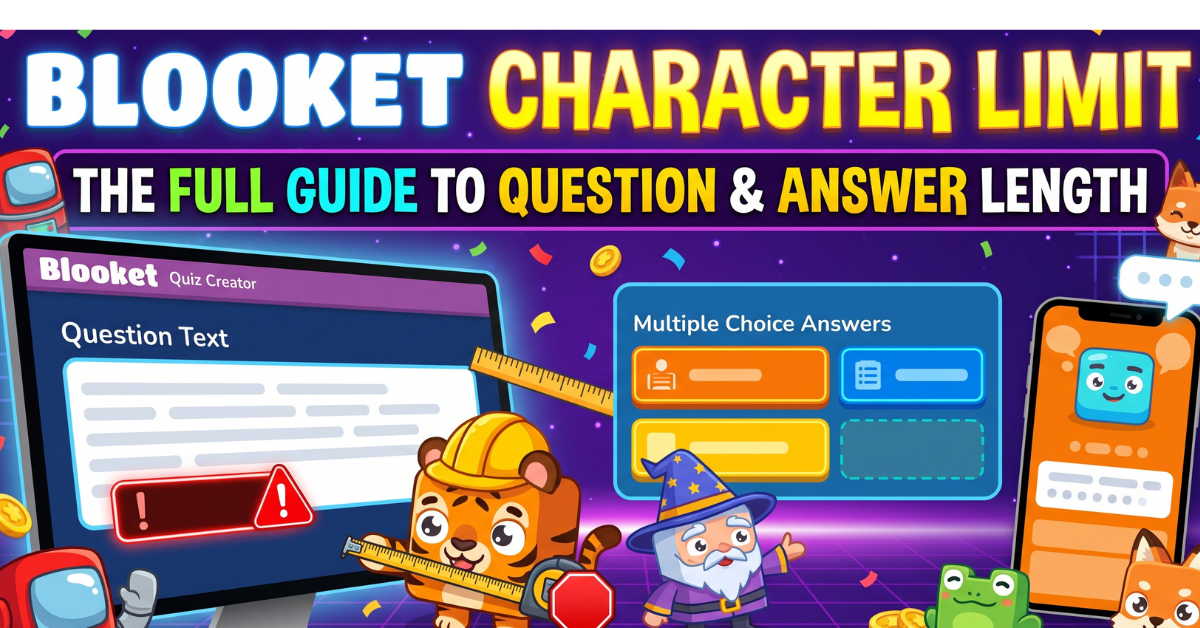
Blooket Character Limit: The Full Guide to Question and Answer Length
You paste a detailed question into Blooket, hit save, and the editor accepts it without complaint. Then you host the game, and part of the text is missing on the game screen. No warning, no error message, just a quietly trimmed question.
That is the Blooket character limit in a nutshell. It exists. Blooket has never published the exact number in its own help documentation though. This guide covers what teachers and set creators commonly report as the practical limit for every field. It covers why the limit feels different depending on the game mode. It also covers how to design a question set that never gets cut off on any device.
Does Blooket Have an Official Character Limit
Blooket does not list a specific character count anywhere in its official help center. There is no visible counter in the question editor either, which is exactly why so many different numbers circulate online. Some guides claim 200 characters. Others claim 500. Without an official source, the real answer has to come from how the platform actually behaves once a set gets hosted.
Why No Official Number Gets Published
Most quiz platforms treat exact text limits as an implementation detail rather than a documented feature. Blooket appears to follow that same pattern. The limit is enforced by the display layout, not by a published rule. That means it can shift slightly as the platform updates its interface over time.
What Teachers Commonly Report
Across classroom discussions and set building communities, a rough consensus has formed. Questions longer than about 200 characters tend to get cut off or crowd the screen on smaller devices. That number is not an official Blooket character limit in the sense of a published rule. It is still a reasonable, widely repeated safety margin worth building around.
The Practical Character Limits for Each Field
Different fields inside a Blooket question behave differently. Treating them as one single limit is a common mistake.
Question Text
The main question field has the most room of any text field in the editor. It is still the most visible spot when something gets cut off though. Keeping a question under roughly 200 characters is a safe target. That leaves room for the text to display cleanly across every game mode.
Answer Choices
Answer options have a noticeably tighter practical ceiling than the question itself. They appear inside small buttons rather than a full text card. Staying under about 80 characters per answer keeps every choice readable, even in modes with a small question overlay.
Typing Answer Responses
For the Typing Answer question type, the expected response is meant to be short. A single word, a date, or a short number all work well. Longer expected answers tend to wrap awkwardly on a phone screen, especially during a fast paced round where students are typing quickly.
How This Compares to Kahoot and Quizizz
Blooket sits in the middle of the field for text length compared to other classroom quiz tools. Kahoot has historically run a tighter question limit. Quizizz tends to allow considerably more text per question. Blooket’s shorter format is part of what keeps its games feeling fast paced rather than reading heavy.
| Field | Commonly reported safe range | Best used for |
| Question text | Under 200 characters | A single, focused prompt |
| Answer choices | Under 80 characters | Short, clean multiple choice options |
| Typing answer response | Under 50 characters | A word, date, or short number |
| Answer explanation | More generous | Extra context shown after the student answers |
| Set description | More generous | Background context shown before the game starts |
Why the Limit Feels Different Across Game Modes
The character count itself does not officially change from one Blooket game mode to another. The amount of visible space on screen absolutely does though. A question that reads perfectly fine in one mode can feel cramped or cut off in another.
Classic and Cafe: More Room to Work With
Classic and Cafe both display questions on a large, centered card. That gives long text the most breathing room in the entire platform. A question closer to the 200 character range still reads comfortably in these two modes.
Tower Defense and Cyber Hack: The Tightest Fit
Tower Defense and Cyber Hack squeeze the question into a small overlay while gameplay continues underneath. Long questions cost real reaction time here. Shorter, punchier text works far better in these two modes than anywhere else in the platform.
Gold Quest and Racing: A Middle Ground
Gold Quest and Racing sit between the two extremes. There is more room than in Tower Defense. The fast pace of both modes still rewards a tighter, more direct question over a long one though.
Other Hidden Limits Worth Knowing
Text is not the only place Blooket quietly caps what you can add to a set. A few other limits are worth planning around too.
Image File Size
Blooket resizes uploaded images automatically. A very large source file can still slow down the upload and add lag during a live round though. Keeping images reasonably small and in a standard format avoids most of this friction.
Audio Clip Duration
Audio uploads are available on a Blooket Plus plan and work best as short clips, useful for pronunciation practice or a quick sound cue rather than a full recording.
Total Questions Per Set
Blooket allows a large number of questions in a single set. Very long sets can start to feel sluggish and lose student attention well before any technical limit gets hit though. Splitting a large topic into two or three focused sets usually works better than one giant one.
CSV Import Behavior
Importing questions through a CSV file runs through the same validation as typing them in manually. Rows that run well past the practical limit tend to get flagged during import rather than silently trimmed. That actually makes CSV import a useful way to catch oversized questions before they reach a live game.
How to Design Questions That Never Get Cut Off
Working within the Blooket character limit is less about writing shorter content. It is more about being deliberate with where that content goes.
Move Background Context to the Description Field
Instead of packing setup and context into the question itself, put it in the set description that students see before the game starts. That keeps the question field free for the actual prompt itself.
Match Answer Lengths Across All Choices
Keep the correct answer roughly the same length as the distractors. A noticeably longer correct answer gives students an easy way to guess right without knowing the material at all.
Test the Set in Solo Mode First
Before hosting a live class game, run through a new set alone on a phone. This is the fastest way to catch anything that reads fine in the editor. It also catches text that looks cramped or cut off once the game screen actually loads.
Reuse a Clean Template
Once a question is formatted well and fits comfortably inside the limit, duplicate it and edit the copy for the next question. This keeps formatting consistent across an entire set. It also saves you from redoing the work each time.
Common Myths About the Blooket Character Limit
Myth: Blooket Has No Character Limit at All
Not true. There is no visible counter while typing, which makes it feel unlimited. Text past the practical range still gets cut off once the game actually runs though.
Myth: The Real Limit Is 500 Characters
This number shows up often online. It does not match what most set creators actually observe though. It may come from confusion with Quizizz, which does allow a much longer question field.
Myth: Questions and Answers Share the Same Limit
They do not. Answer choices have a noticeably tighter practical ceiling than the main question field. That comes down to how little room each answer button has on screen.
Myth: CSV Import Skips the Character Limit
Import validation tends to catch oversized rows rather than let them slide through untouched. CSV import is not a reliable workaround for the limit.
Frequently Asked Questions
What is the actual Blooket character limit for questions?
Blooket has not published an official number, but a safe, commonly used target is under 200 characters for the main question field.
Does the character limit in Blooket include spaces?
Yes. Every character your keyboard produces, including spaces and punctuation, counts toward the total length of the text.
Is there a separate character limit for Blooket answer choices?
Yes. Answer choices have a tighter practical range than questions, generally recommended to stay under about 80 characters for reliable display.
Why did my question get cut off with no warning?
Blooket’s editor does not show an error when text runs long. The safest way to catch this is previewing the set in Solo mode before hosting it live.
Does the character limit change between game modes?
The underlying text field does not officially change size, but the visible space on screen does. Modes like Tower Defense and Cyber Hack show questions in a smaller overlay, so shorter text works better there than in Classic or Cafe.
Can I write longer text in the answer explanation field?
Yes. The explanation shown after a student answers tends to allow more text than the main question field, since it does not need to fit inside the live gameplay screen.
Final Thoughts
The Blooket character limit is not something the platform advertises. It is very real once a set gets hosted in front of a class though. Keep questions under roughly 200 characters, and answers under about 80. Always give a new set a quick test in Solo mode before running it live. That one habit catches almost every truncation problem before students ever see it.